


Essential Guide for Foreigners: HiKorea Visit Reservation A to Z (For Non-Members)
Hello everyone! 🎉 Last time, we provided a detailed guide for HiKorea members on how to make a visit reservation. Today, in response to requests, we're bringing you a guide on how to make a HiKorea visit reservation for foreigners who have not registered as members (non-members and short-term stay foreigners, etc.)! If you visit the Immigration Office without a reservation, processing your application may be delayed or impossible, so please be sure to reserve in advance!
📍 HiKorea Non-Member Visit Reservation in 4 Steps
Unlike member reservations, setting a 'Password' is mandatory for non-member reservations.
🔗 [Go to HiKorea Website] www.hikorea.go.kr
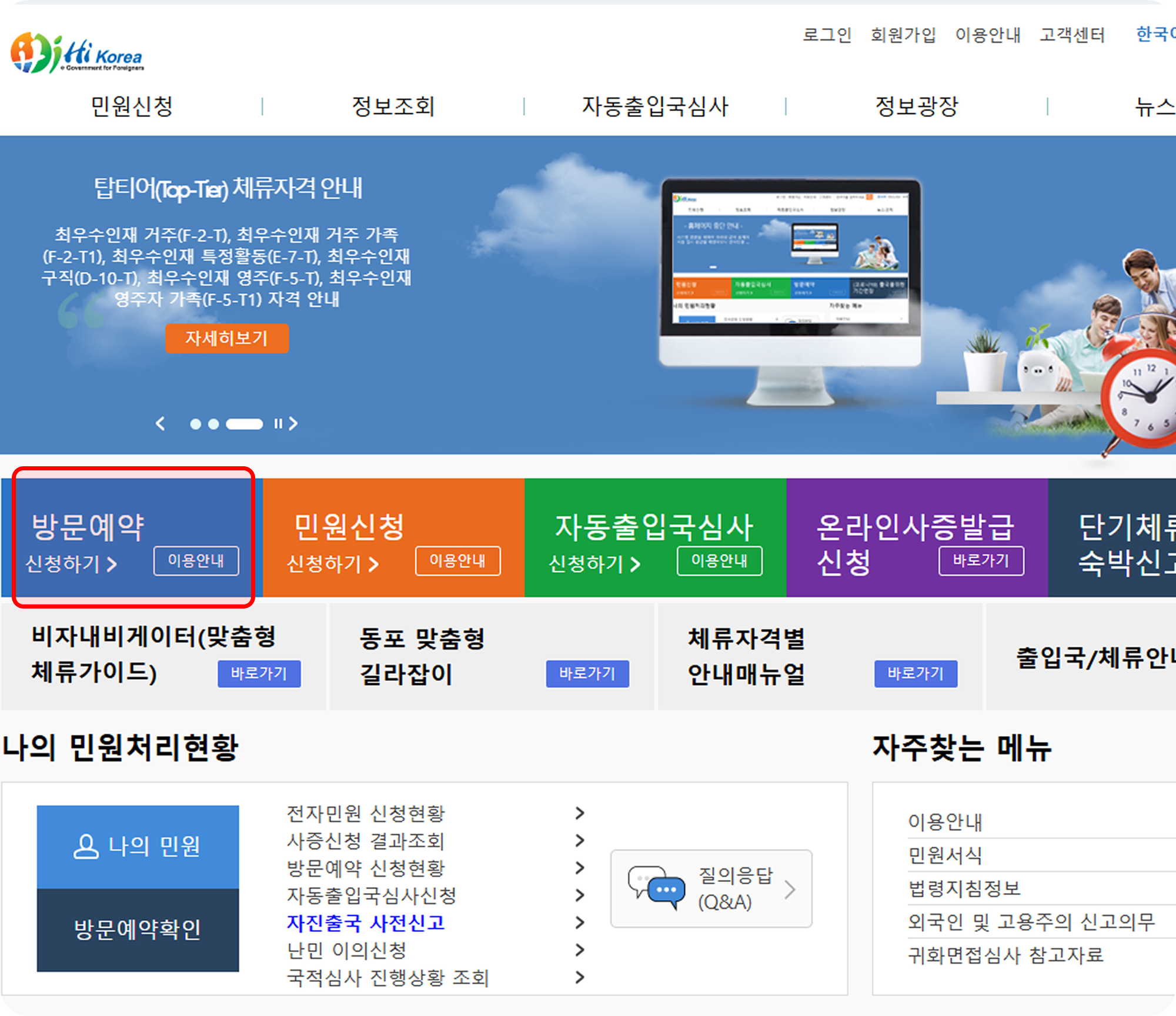
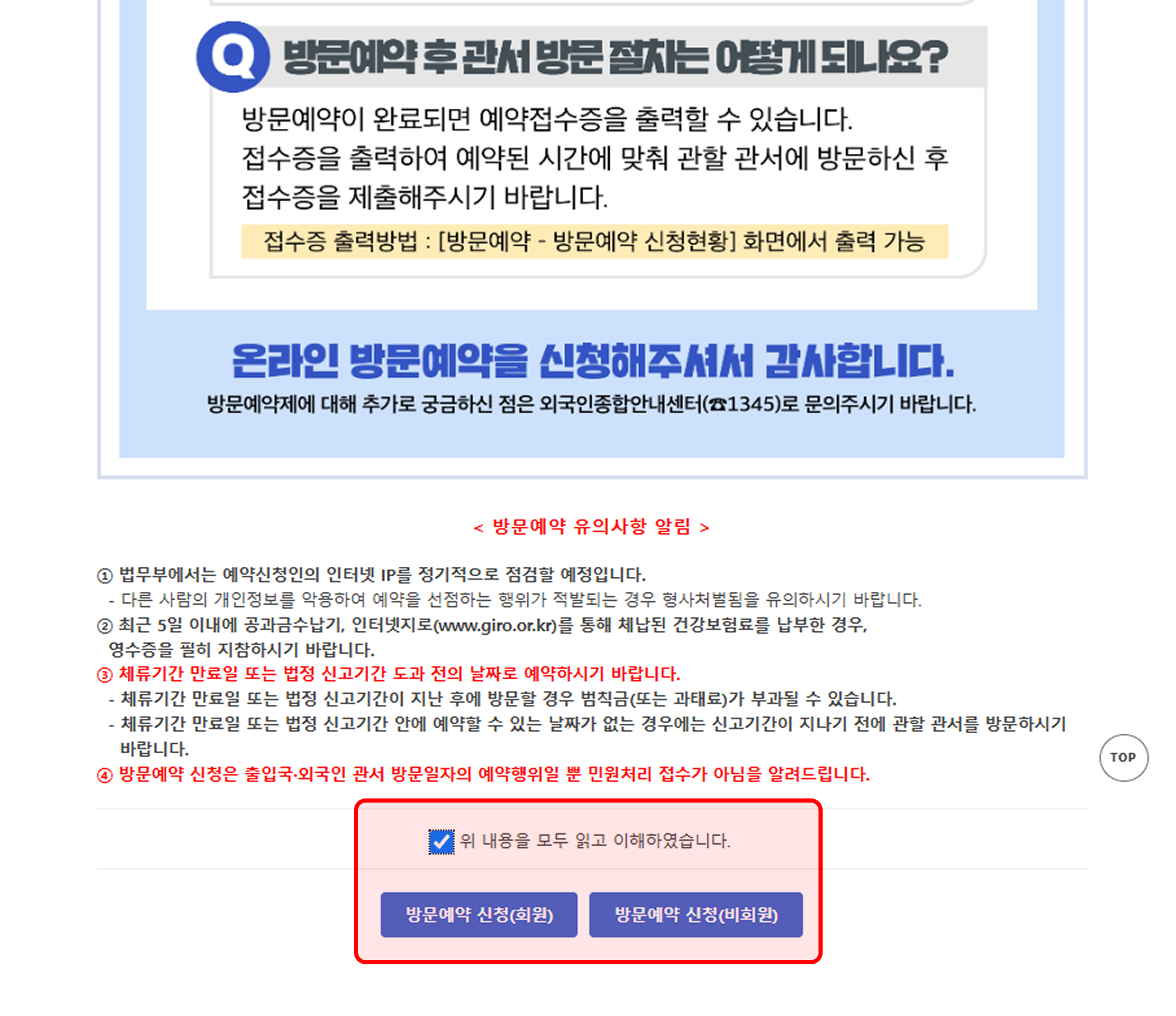
Click on "Apply for Visit Reservation (Non-Member)" from the top menu or the "Visit Reservation" menu on the main screen, and follow the steps below.
🖱 Step 1. Apply for Non-Member Visit Reservation
Click "Apply for Visit Reservation (Non-Member) (방문예약 신청(비회원))" from the top menu of the website.
🔍 Step 2. Identity Verification
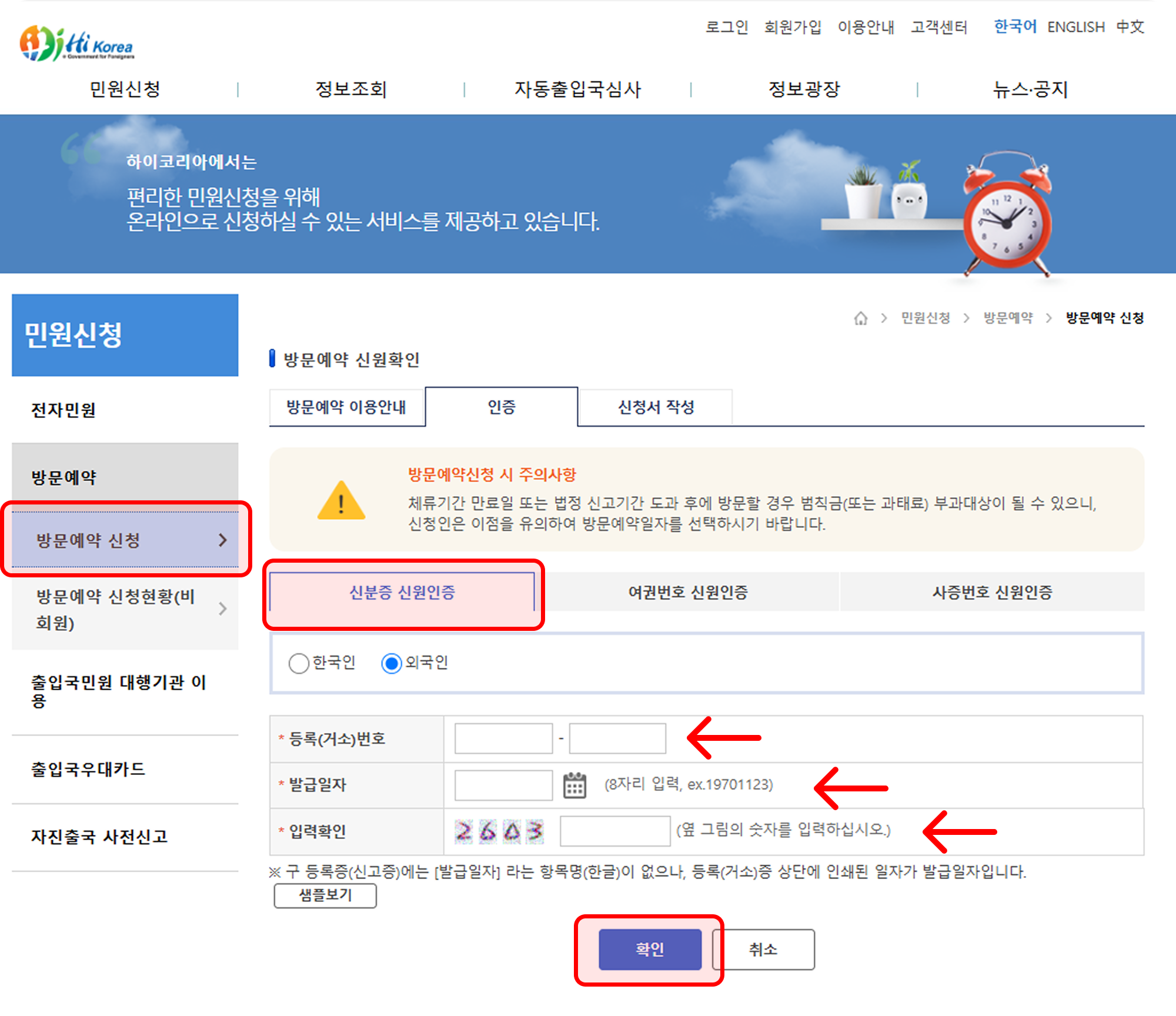
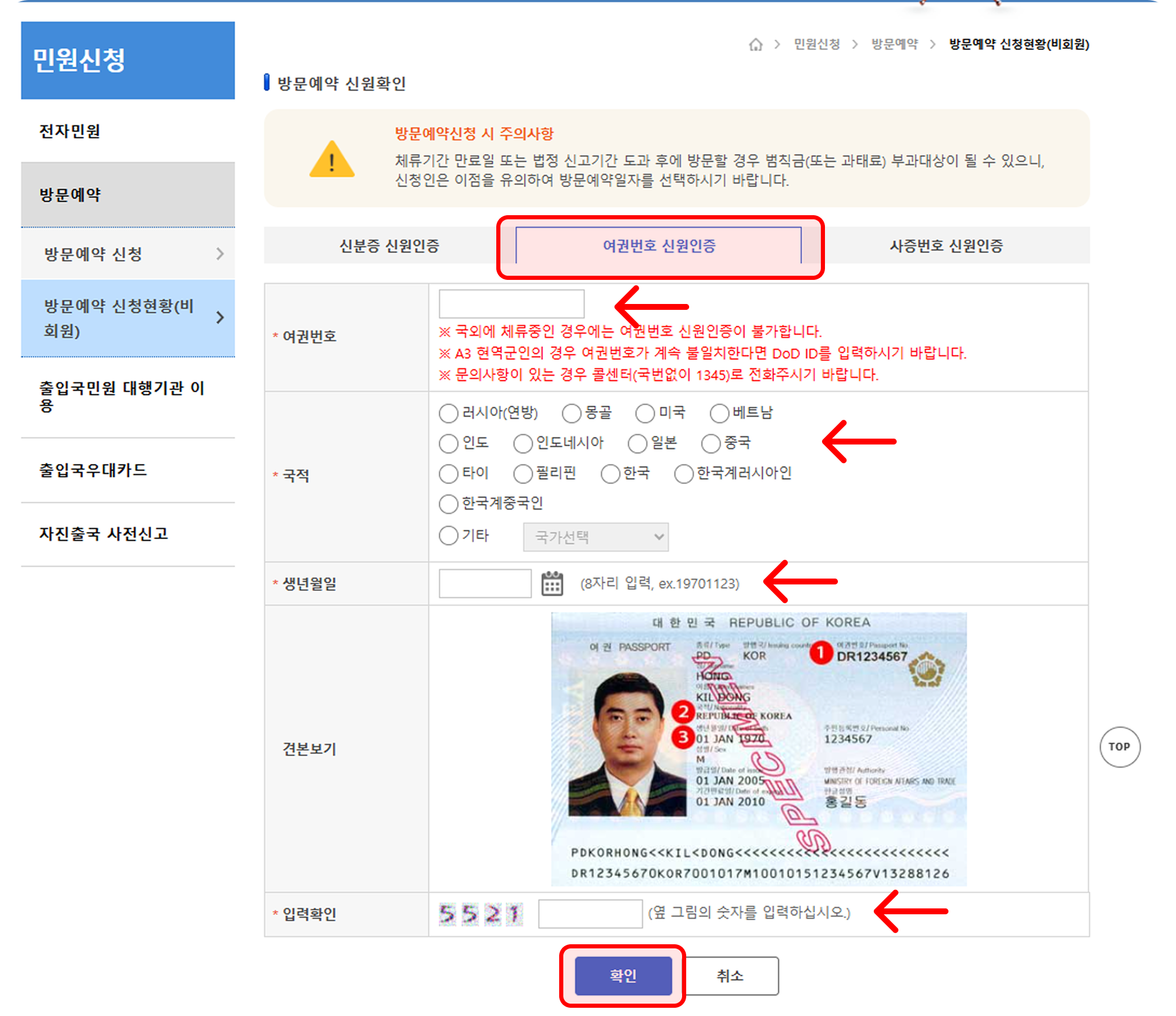
The authentication method differs depending on your status:
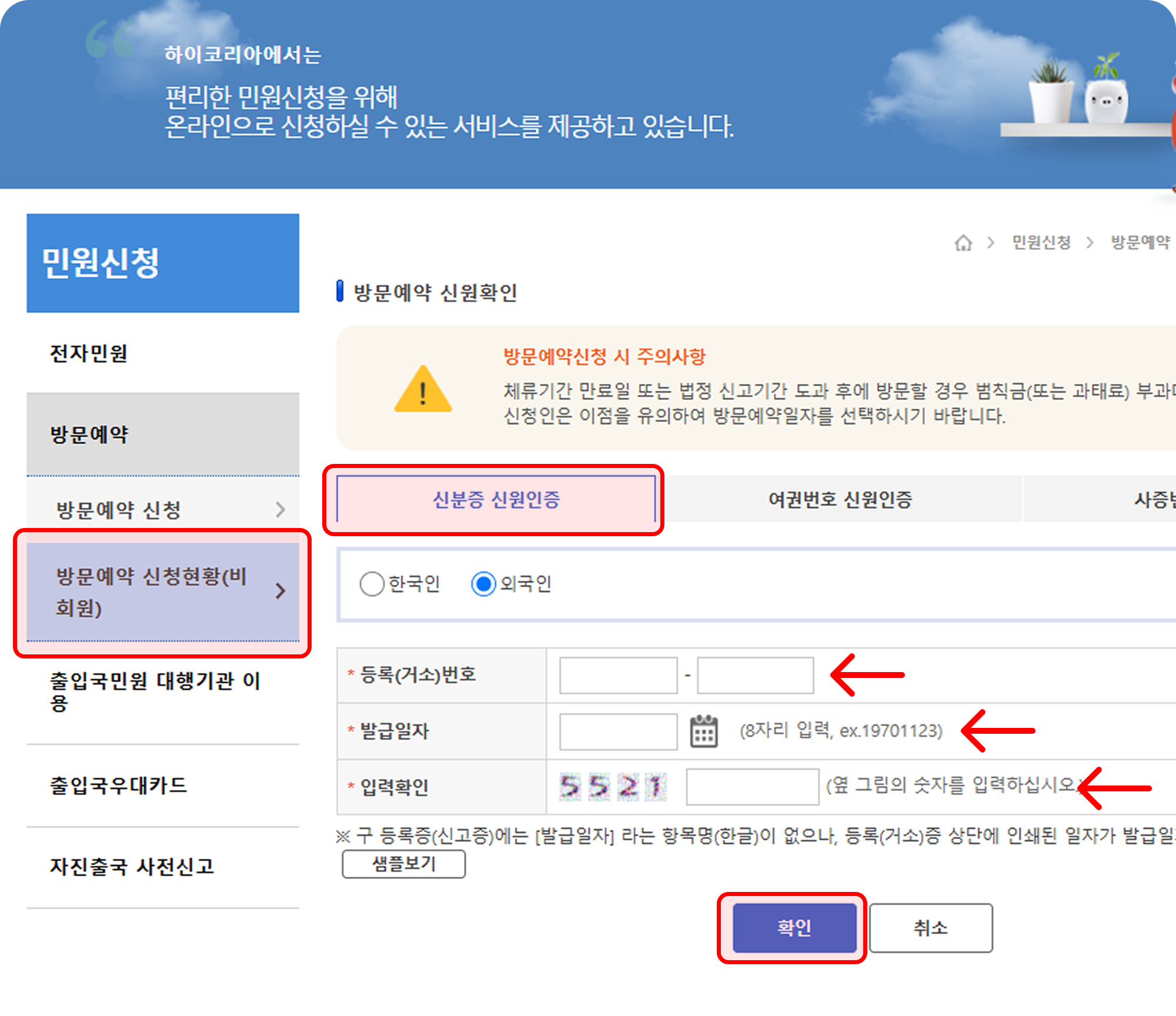
Registered Foreigners (등록외국인): Enter your registration number and date of issue to authenticate.
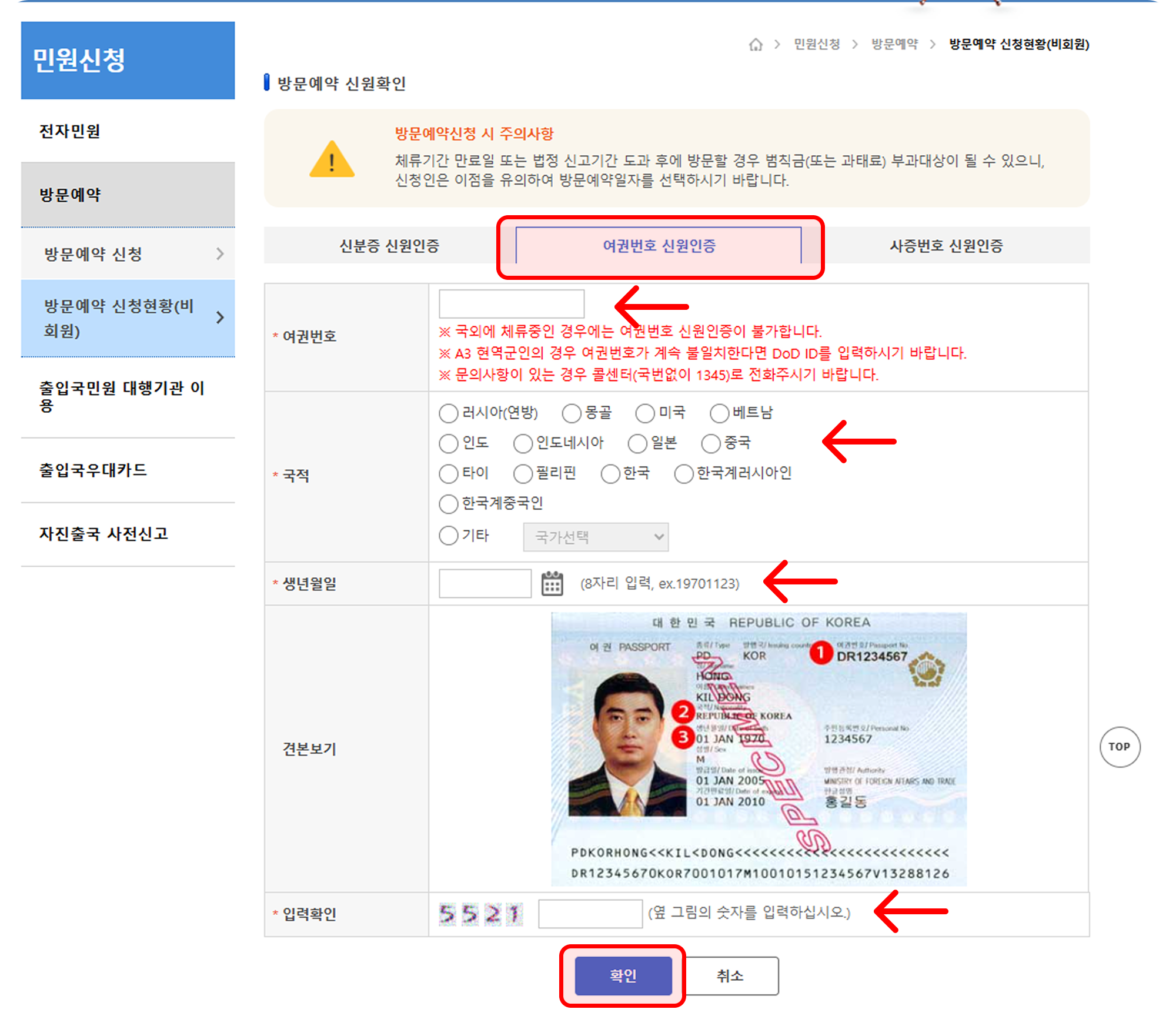
Short-term Stay Foreigners (단기체류 외국인): Enter your passport number, date of birth, nationality, etc. → Please follow the on-screen instructions for authentication.
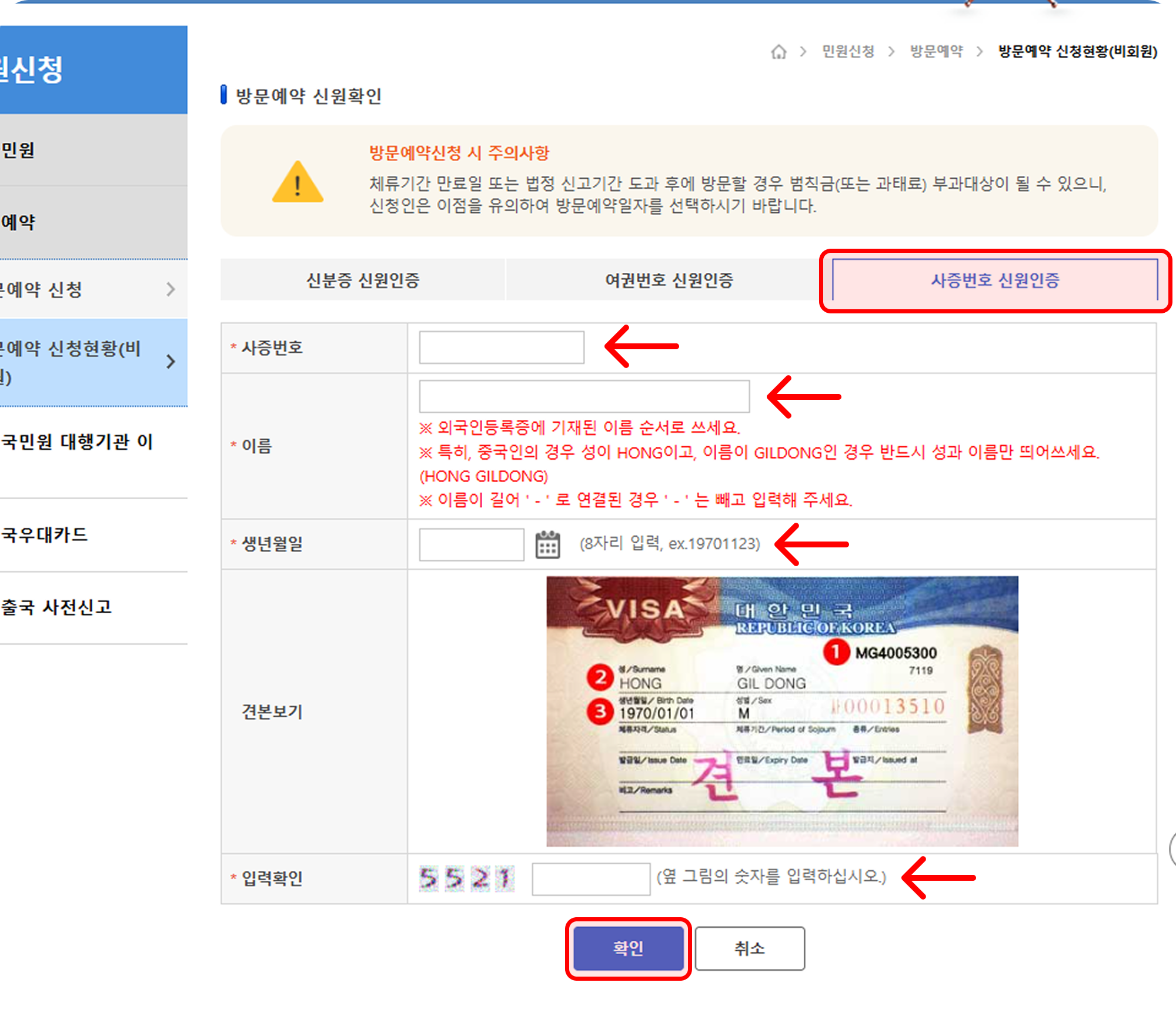
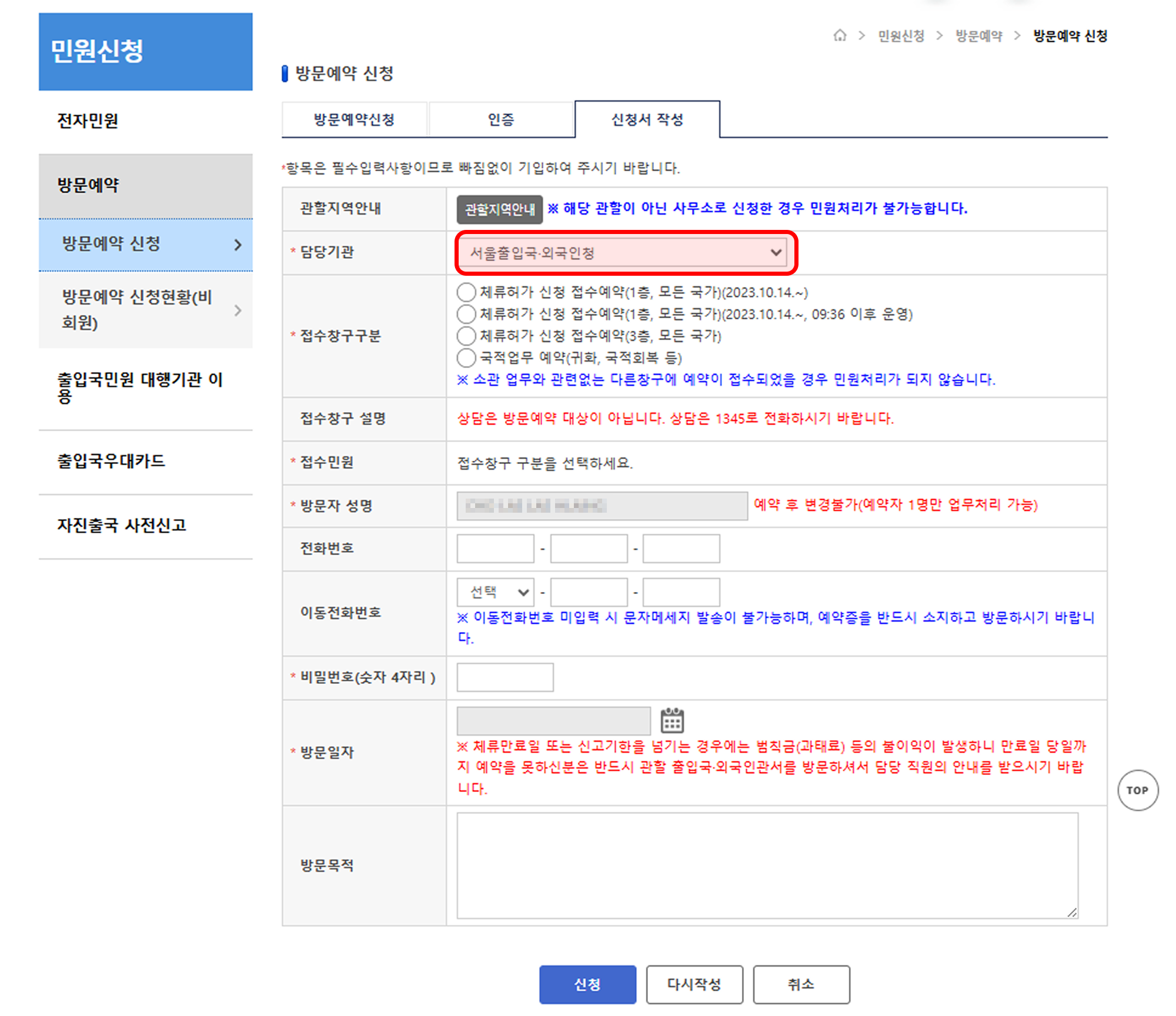
📄 Step 3. Fill out the Application Form
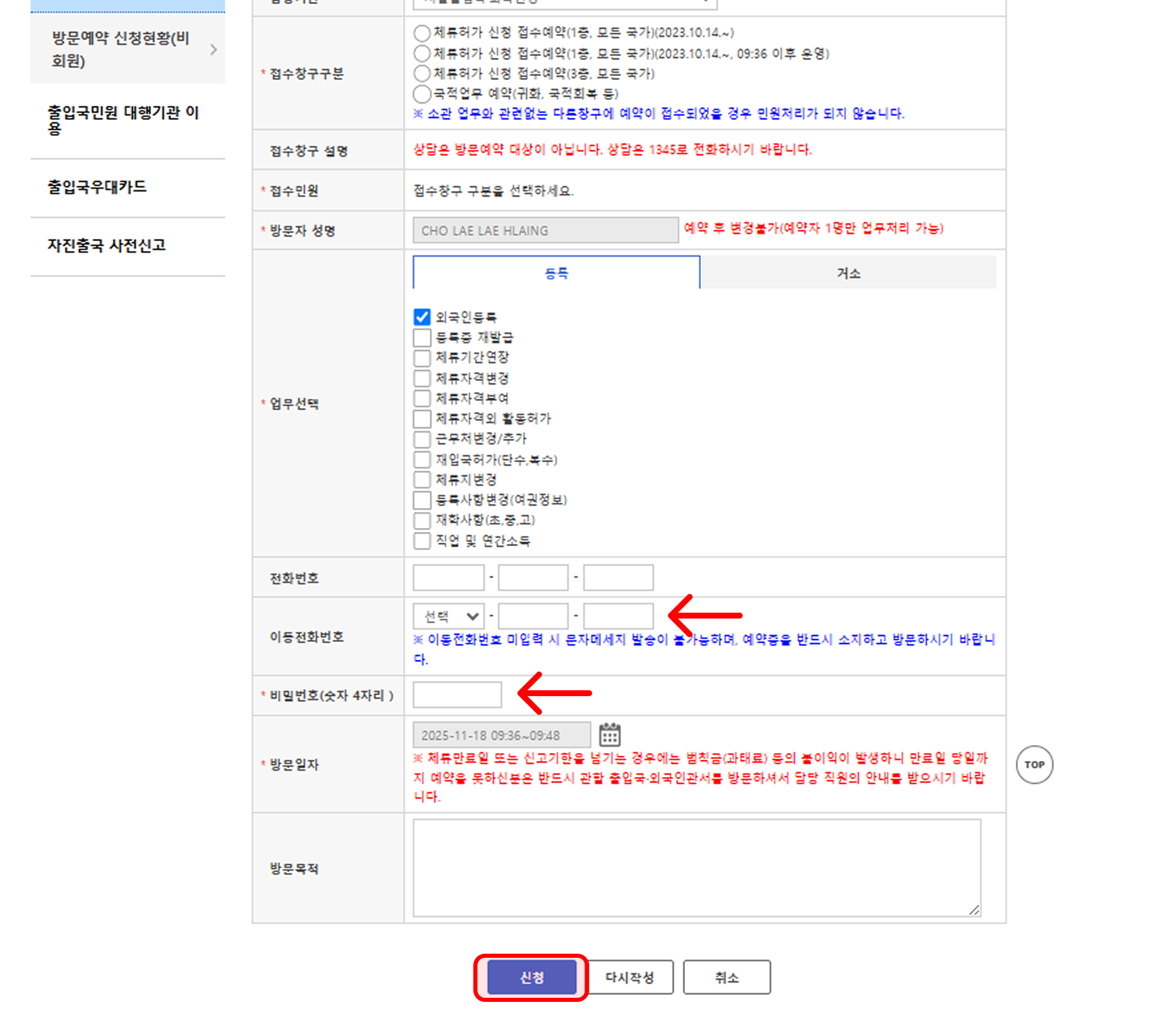
Fill in the following items completely:
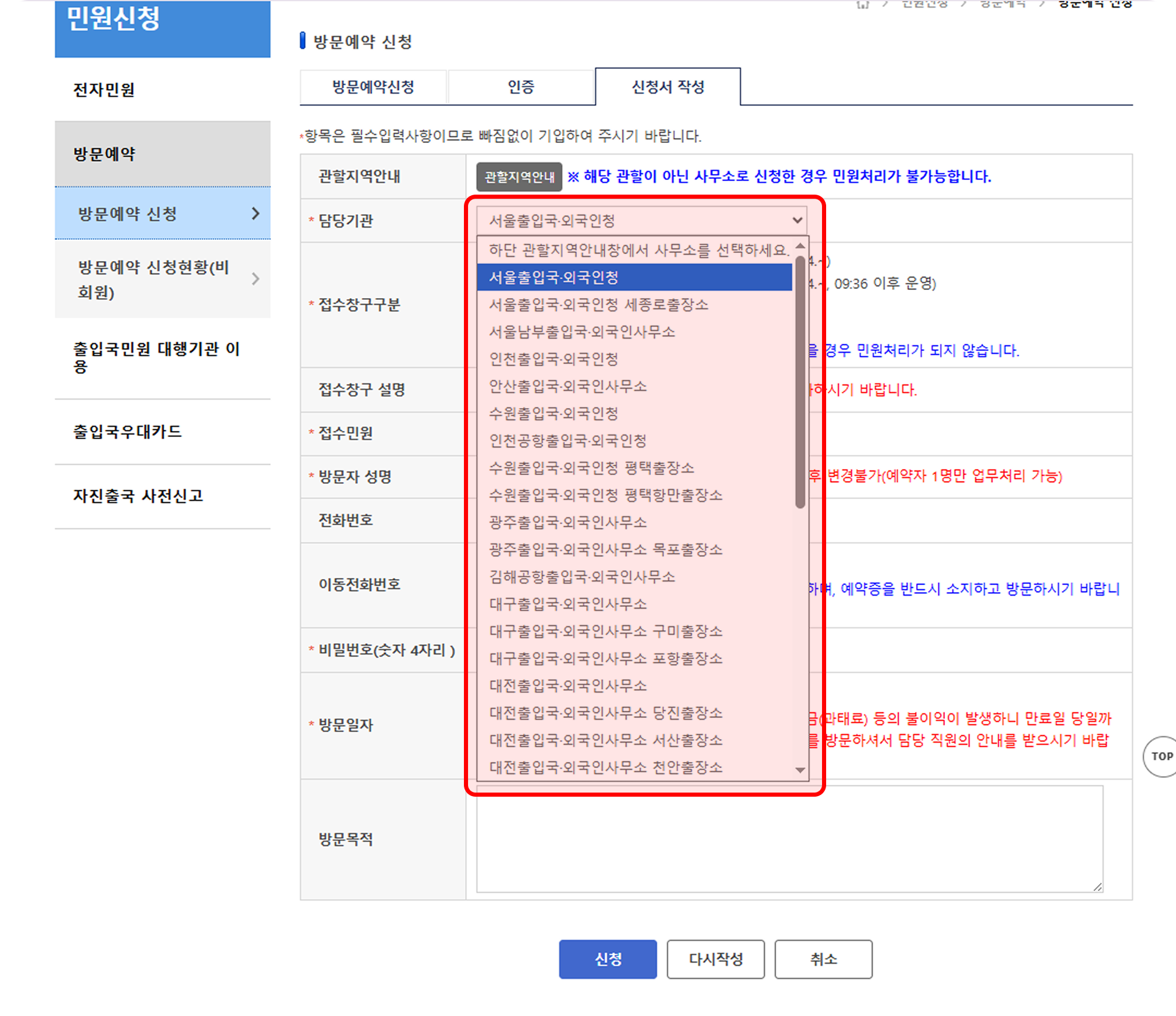
Responsible Office (담당기관): Select the Immigration Office you will visit.
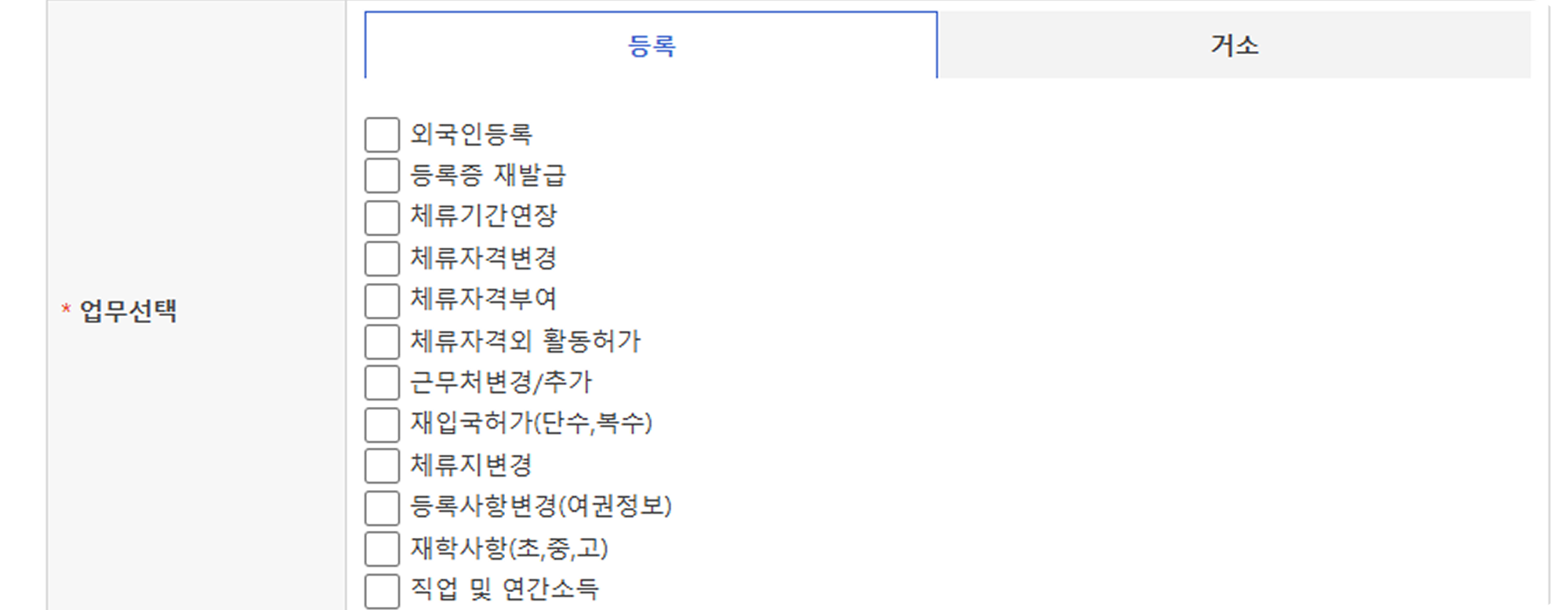
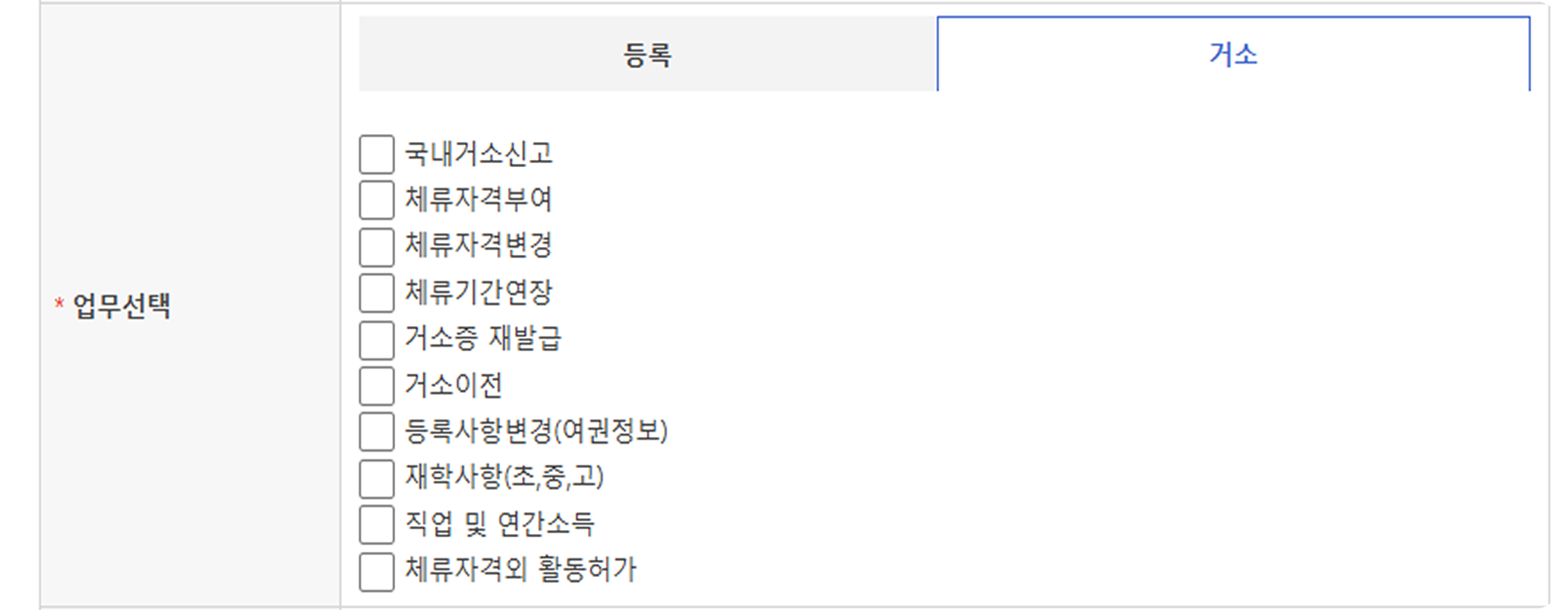
Select Service (업무 선택): Select the type of service you are applying for.
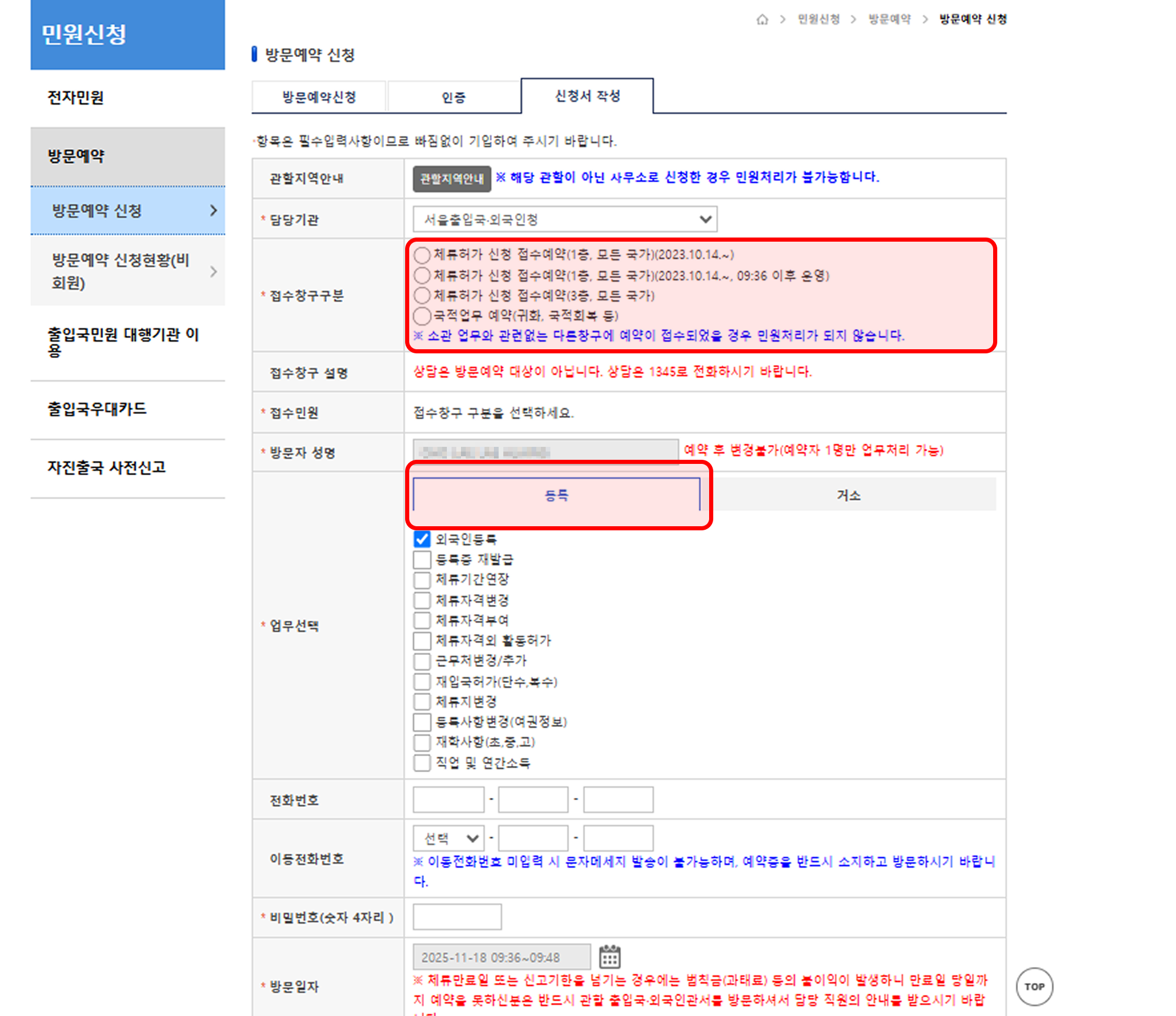
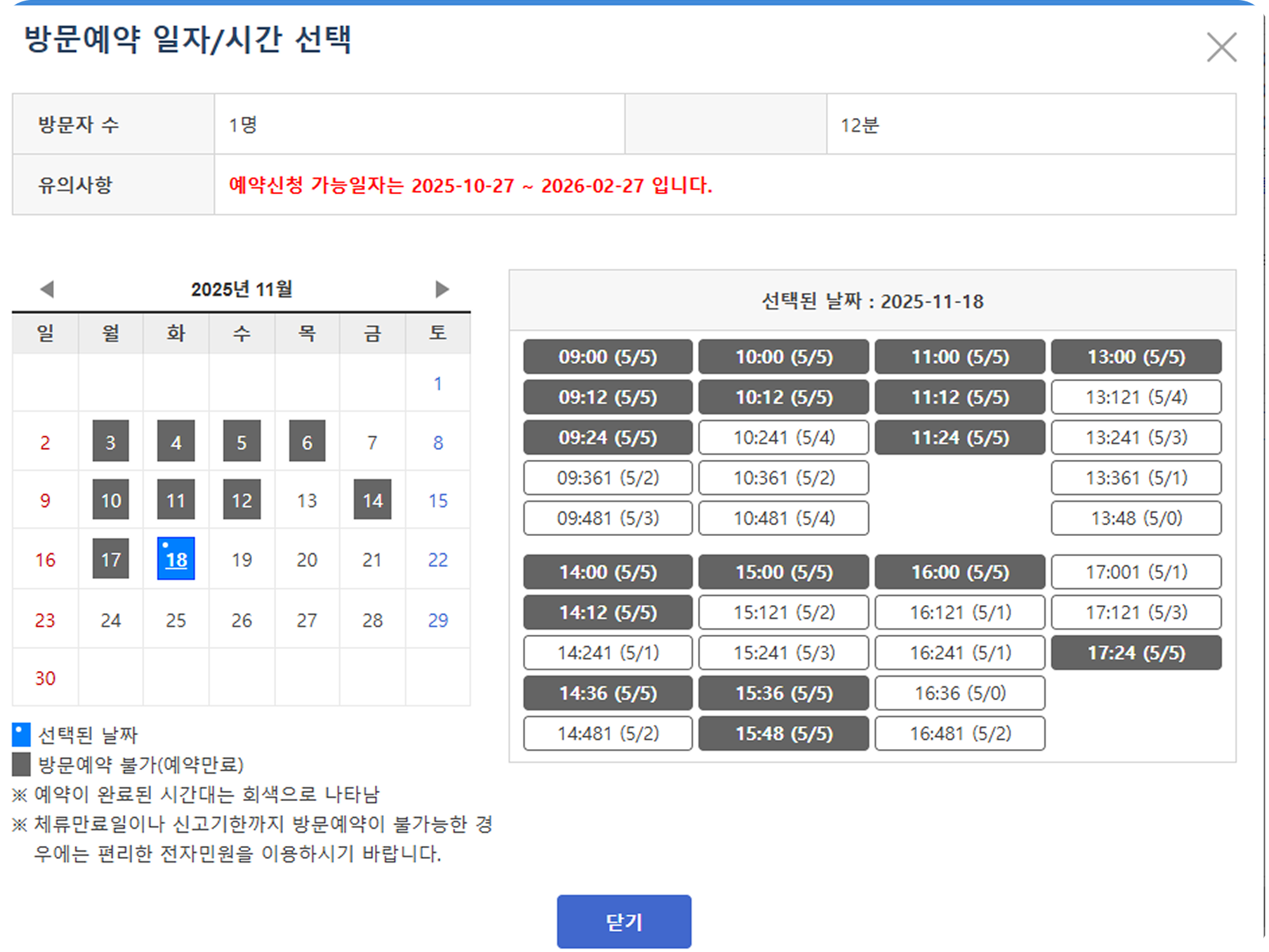
Visit Date/Time (방문일자/시간): Select from the available times.
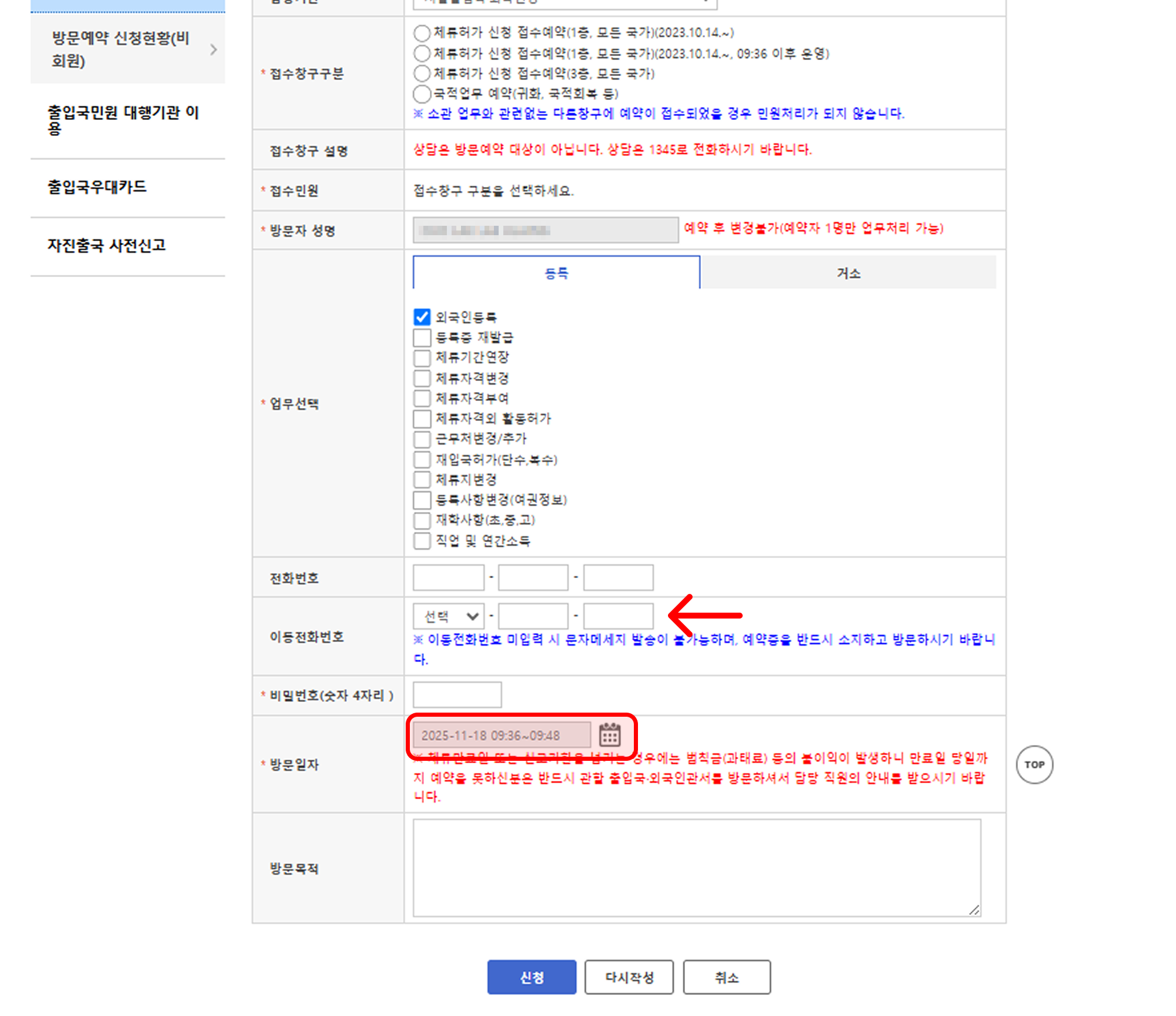
Enter your Name, Phone Number, Purpose of Visit, etc.
Set Password (4 digits): This information is absolutely necessary for checking and changing your reservation, so you must remember this password!
🛎 Step 4. Reservation Complete
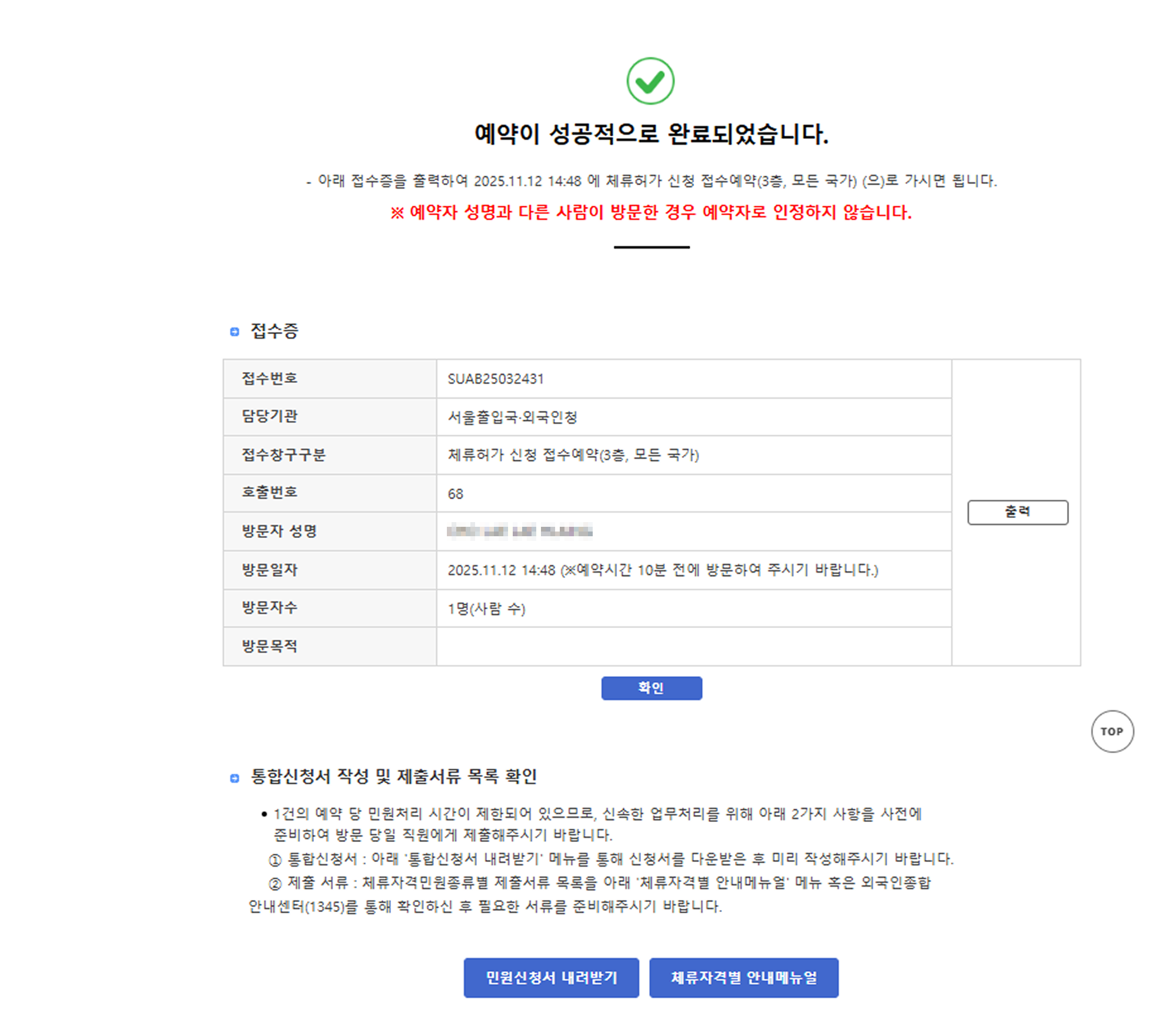
After entering all items correctly, click the "Apply (신청)" button to complete the reservation.
🔍 How to Check Reservation Details (Non-Member)
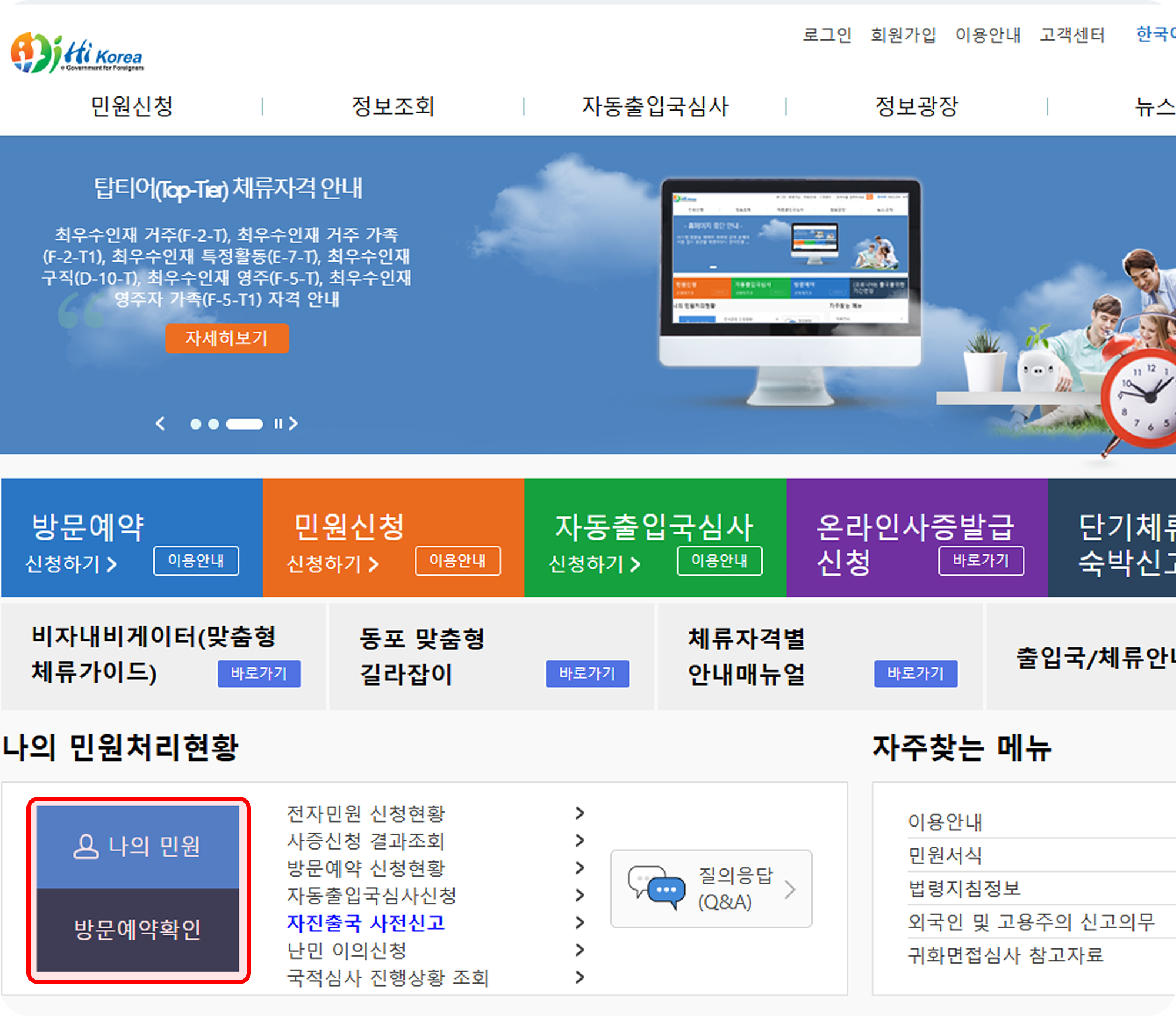
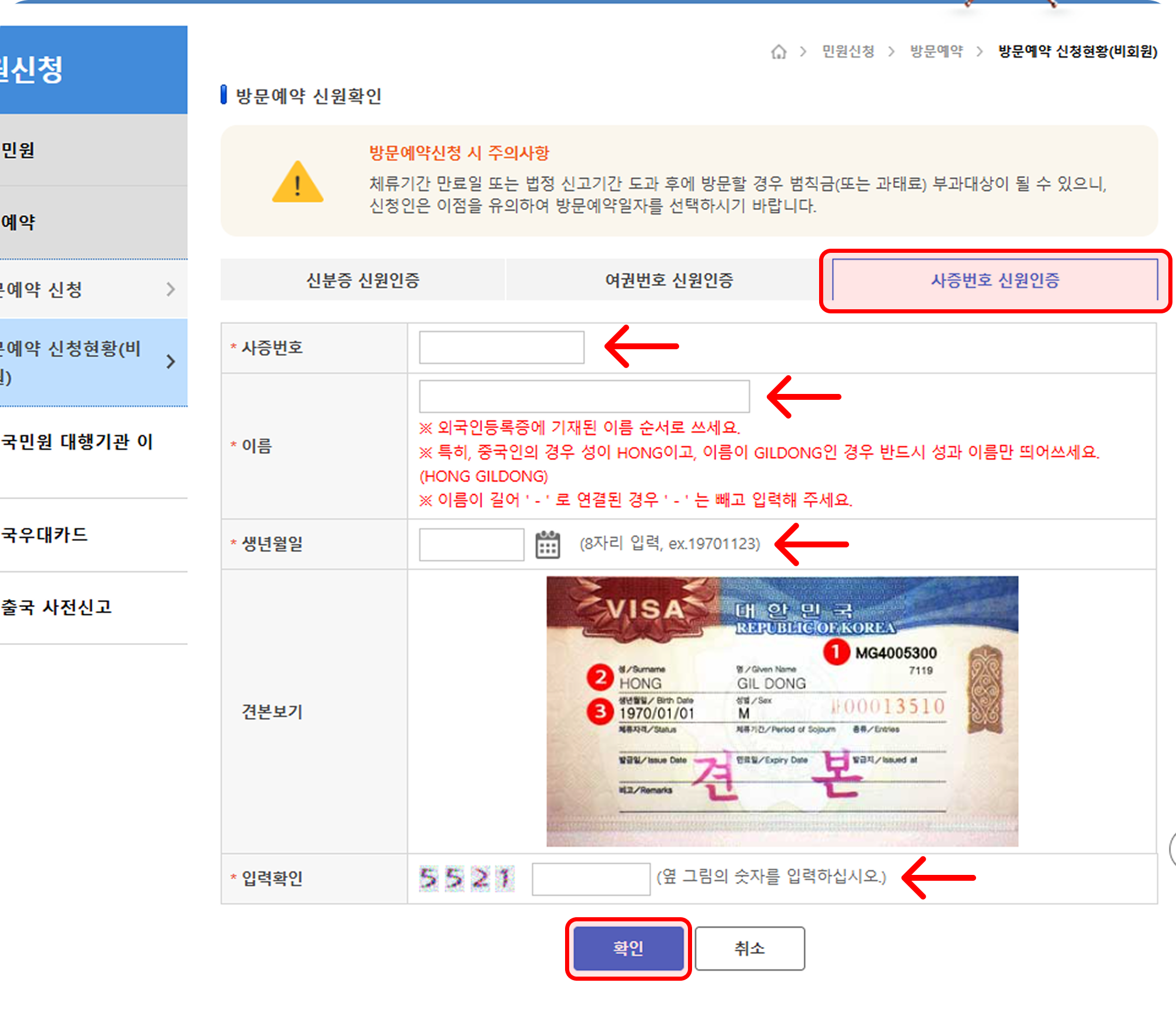
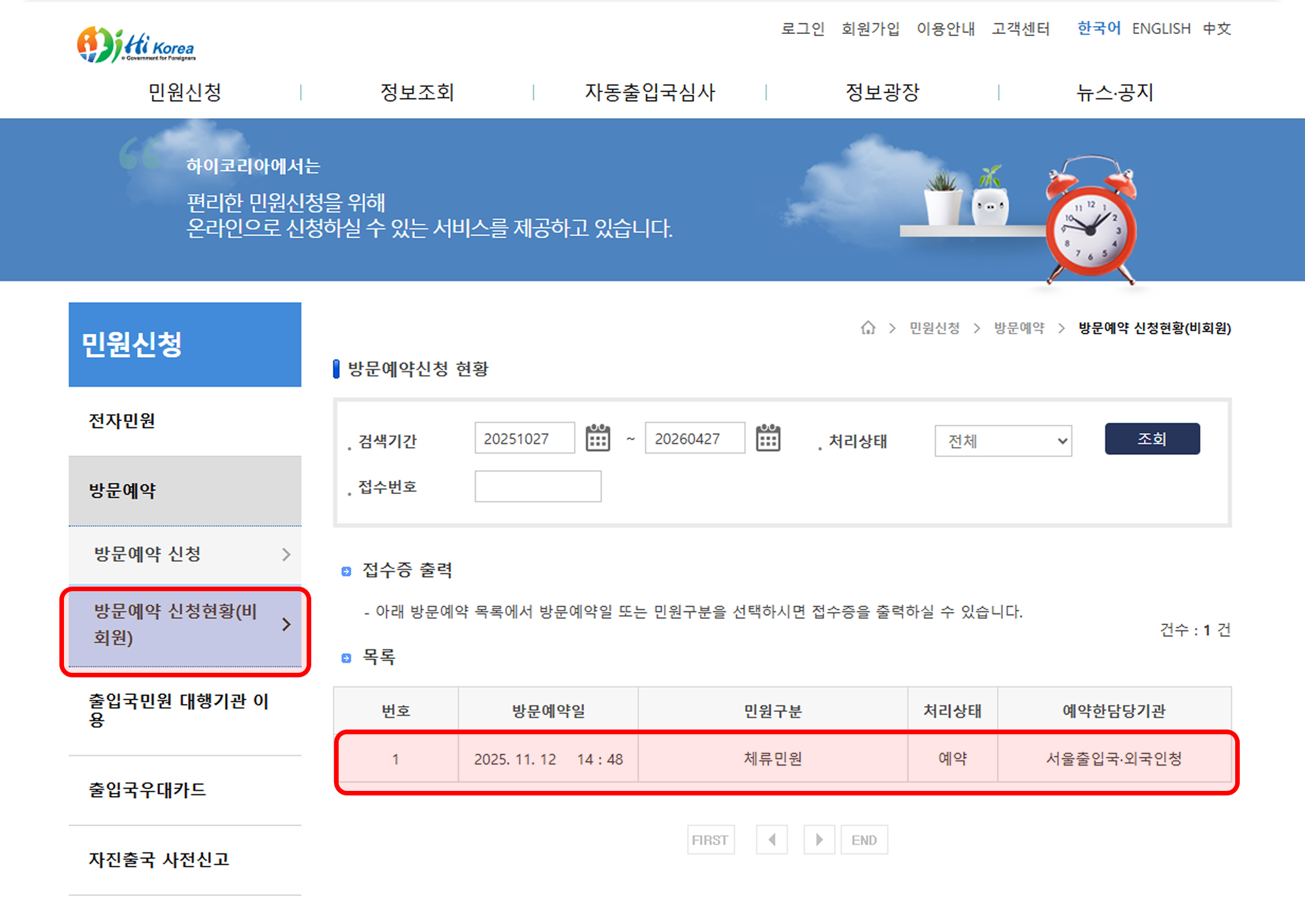
Click the "Visit Reservation Application Status (Non-Member) (방문예약 신청현황(비회원))" menu on the website.
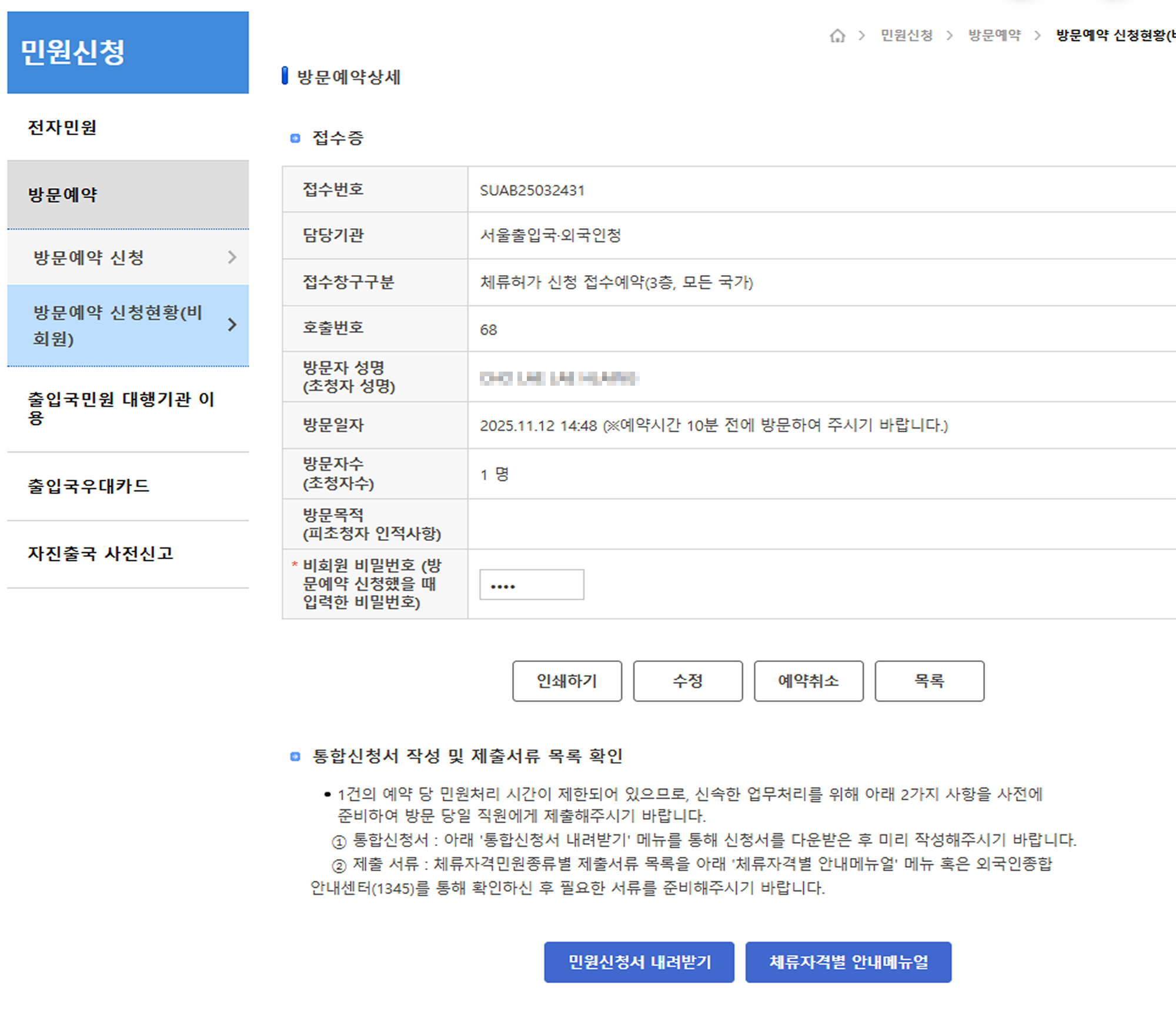
You can verify your reservation details by authenticating yourself using the identity information and the 4-digit password you set at the time of reservation.
💡 Vijob's Tip!
We recommend that you print out or save a photo of your reservation slip after completing the reservation. Noting down the application number, reservation date and time, and password separately will be convenient for checking or changing your reservation later.
If you find the reservation process difficult or are confused about which item to select, call the Immigration Contact Center (☎ 1345)! You can receive kind guidance, and interpretation is also supported!
👉 Book in advance and handle your matters comfortably!
Vijob always supports your successful life in Korea! If you have any further questions, please leave a comment anytime! 😊